How to create a 3D product configurator
Learn how to create a 3D product configurator that reduces errors, speeds up quotes, and turns personalization into measurable online sales.
A customer who can see a configured product, check its compatibility, and receive a consistent price enters negotiations with far fewer uncertainties. Understanding how to create a 3D product configurator therefore means designing a sales and operational tool, not simply adding an animation to the website.
For companies that sell customizable, technical, or multi-variant products, a configurator can reduce incomplete requests, shorten the quoting cycle, and make the handoff between sales, production, and after-sales service easier to manage. The result, however, depends on the quality of the business rules, product data, and user experience. 3D is the most visible part of the project, but it is not the only part that matters.
What problem should the project start with?
A 3D configurator creates value when it solves a concrete friction point. This may be the case, for example, when sales staff manually reconstruct a customer's options, when price lists are complex, when there are technical constraints between components, or when customers struggle to picture the final result.
Custom furniture, windows and doors, machinery, industrial components, special-purpose vehicles, packaging, and premium products are common use cases. In all these contexts, the product is not a fixed code: it changes according to dimensions, materials, finishes, accessories, performance, and intended use.
Before thinking about the 3D model, it is useful to define precisely what result you want to achieve. The goal may be to increase qualified inquiries, generate an immediate quote, enable sales reps to put together offers without errors, or transfer a validated configuration to the ERP system or production. These are different objectives and require different levels of automation.
A public-facing configurator for lead generation, for example, may show price ranges and collect a structured request. A configurator reserved for the sales network, on the other hand, may manage discounts, commercial terms, margins, and rules that are not visible to the end customer. Trying to do everything in the first release can slow the project down without delivering a proportional benefit.
How to create a 3D product configurator starting with the data
The right question is not just which technologies to use, but what information should govern each choice. A reliable configurator is built on an organized data model in which variants, attributes, availability, prices, and compatibility each have a defined source.
Turn the catalog into decision rules
Each option must be described so the system can interpret it. A finish may be available only for a particular frame; a size may require reinforcement; one accessory may rule out another. These conditions should not remain in the memory of the person preparing quotes: they must become rules that the software can verify.
This is where a substantial part of the design work lies. Stable data, such as dimensions or materials, must be distinguished from variable data, such as price, delivery times, or availability. It is also necessary to decide what happens when a combination is invalid: the system can prevent it, suggest an alternative, or request an operator's intervention.
A good configurator does not allow every possible combination. It allows only those that can be sold, manufactured, and made profitable. This distinction protects margins and reputation, as well as reducing errors that surface too late.
Connect the configurator to business systems
If product data already resides in an ERP system, CRM, order management system, or technical archive, manually duplicating it in the configurator creates another point of inefficiency. Integration should be assessed in light of actual workflows.
In some cases, it is enough to send the CRM a complete configuration with lead details, product code, selected options, and estimated value. In others, the configurator must read up-to-date price lists, generate sales documents, create an order or feed a production process. There is no universally correct integration: it depends on process maturity and the quality of the available data sources.
A custom architecture makes it possible to define these connections without forcing business operations into artificial steps. For Graffico, the point is to turn a configuration into usable data, not a pleasing image isolated from the rest of the business.
3D should make choosing easier, not slower
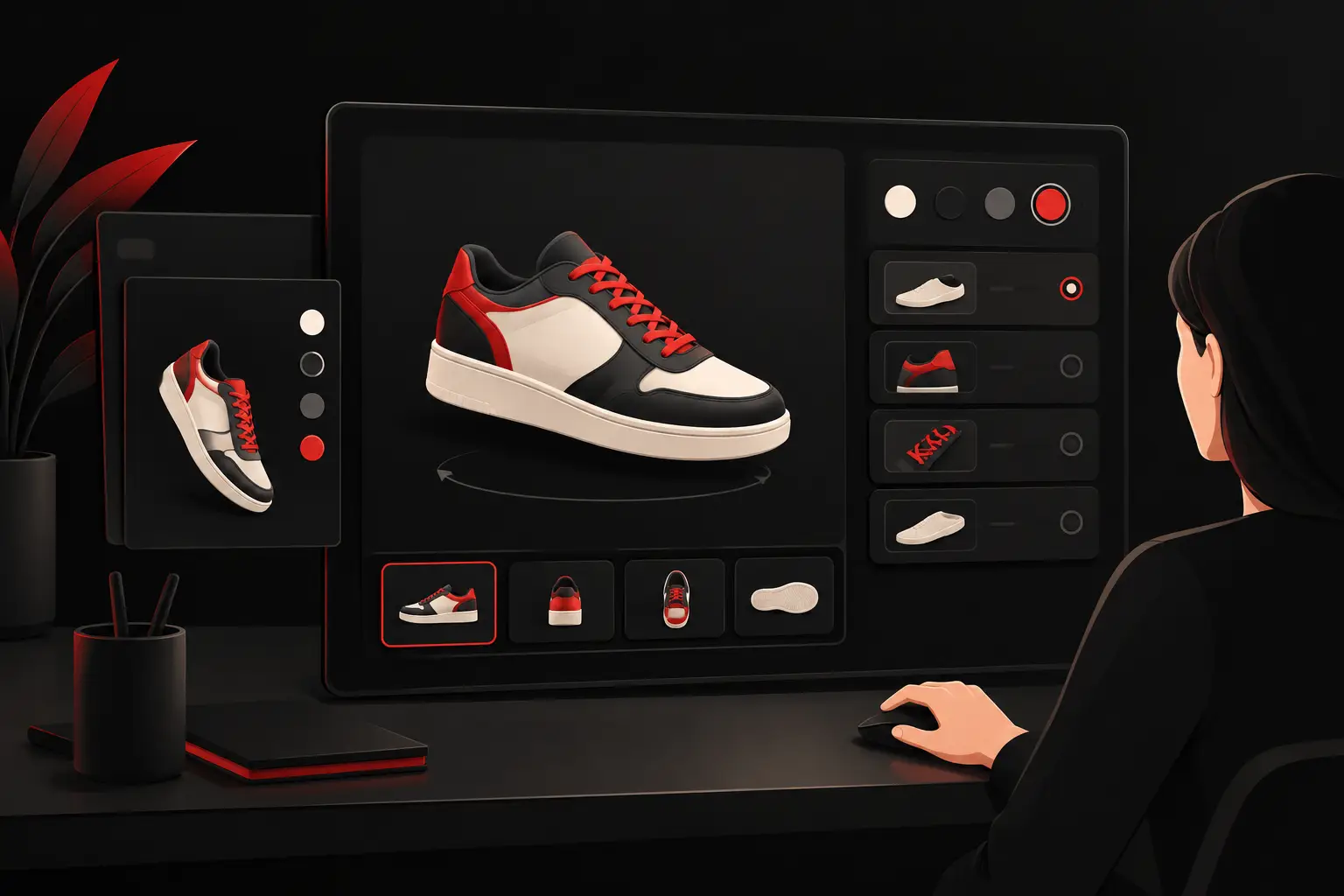
3D visualization has a strong impact because it makes tangible differences that a specification sheet or a series of photos can struggle to explain. Materials, colors, openings, modules, dimensions, and accessories can all be explored as part of a single, coherent product.
But the level of realism should be proportionate to the goal. For a technical product, a clear, fast, and accurate view may be more effective than a very heavy photorealistic render. For a brand that sells design and premium finishes, visual quality can directly affect perceived value. The choice should be based on the use case, the audience, and the devices the configurator needs to support.
3D assets also need to be optimized. Overly complex models increase loading times, consume memory, and harm the experience on smartphones or slower connections. It is useful to plan levels of detail, texture compression, and progressive loading of elements from the outset.
The interface should guide users in a logical order. First the choices that define the product, then aesthetic variants, and finally accessories. Showing dozens of options all at once gives a false impression of freedom and increases abandonment. Showing only relevant options, by contrast, speeds up decisions and makes the configuration more reliable.
Prices, quotes, and approvals: where ROI is measured
A configurator becomes a sales tool when each choice leads to clear consequences. The price can update in real time, be shown as a range, or remain confidential and result in a qualified quote request. The decision depends on commercial policy, not on a technical limitation.
Full transparency works well for products with defined price lists and simple processes. For complex offers involving discounts, shipping, installation, or variable terms, it is often more appropriate to generate a configuration ready for commercial review. In this scenario, the benefit is not just a faster response: sales staff receive complete data and do not have to reconstruct the customer's needs from scratch.
The configuration can generate a summary sheet, a unique code, images of the selected product, and the information needed to continue the process. When useful, it can also trigger internal approvals for margins below the threshold, technical exceptions, or discounts outside policy. These may seem like operational details, but they are what turn the configurator into a governable system.
An effective release is rolled out in priority order
It is best to begin development with an analysis phase involving sales, operations, production, and whoever manages product data. The goal is to map user choices, the rules that constrain them, and the workflow that follows configuration. Without this discussion, it is easy to create an elegant interface that simply pushes the same manual problems further down the process.
An effective first version does not necessarily have to cover the entire catalog. It can focus on the highest-volume product families, the slowest quotes, or the configurations with the highest error rates. This makes it possible to quickly assess usability, data quality, and the impact on sales cycle times.
After launch, usage data can be used to improve the system. Abandoned configurations show where users encounter obstacles; the most frequently selected options help reveal demand; and requests converted into orders make the tool's contribution to sales measurable. The average time taken to prepare a quote and the number of post-quote corrections are also relevant indicators.
When a 3D configurator is not the top priority
Not every catalog with configurable products needs 3D right away. If the main problem is fragmented data or a quoting process managed with misaligned spreadsheets, it may be more useful to start with the rules engine, CRM, or a sales portal. 3D can be introduced at a later stage, once the operational foundations are solid.
Likewise, a simple product with few options may call for a well-designed visual selector rather than a complete three-dimensional environment. The right technology is the one that reduces friction and manual work, not the one that adds complexity to impress.
The best configurator is not the one with the most visual effects. It is the one that makes every choice understandable to the customer, valid for the company, and immediately usable by the teams responsible for selling, manufacturing, and providing support.
Ready to bring your ideas to life?
Request a free, no-obligation consultation. Let's talk about your project.
Request a consultation