Best production control dashboards for SMEs
The best production control dashboards help SMEs reduce delays, scrap and manual work with reliable, readable data that can be acted on immediately.
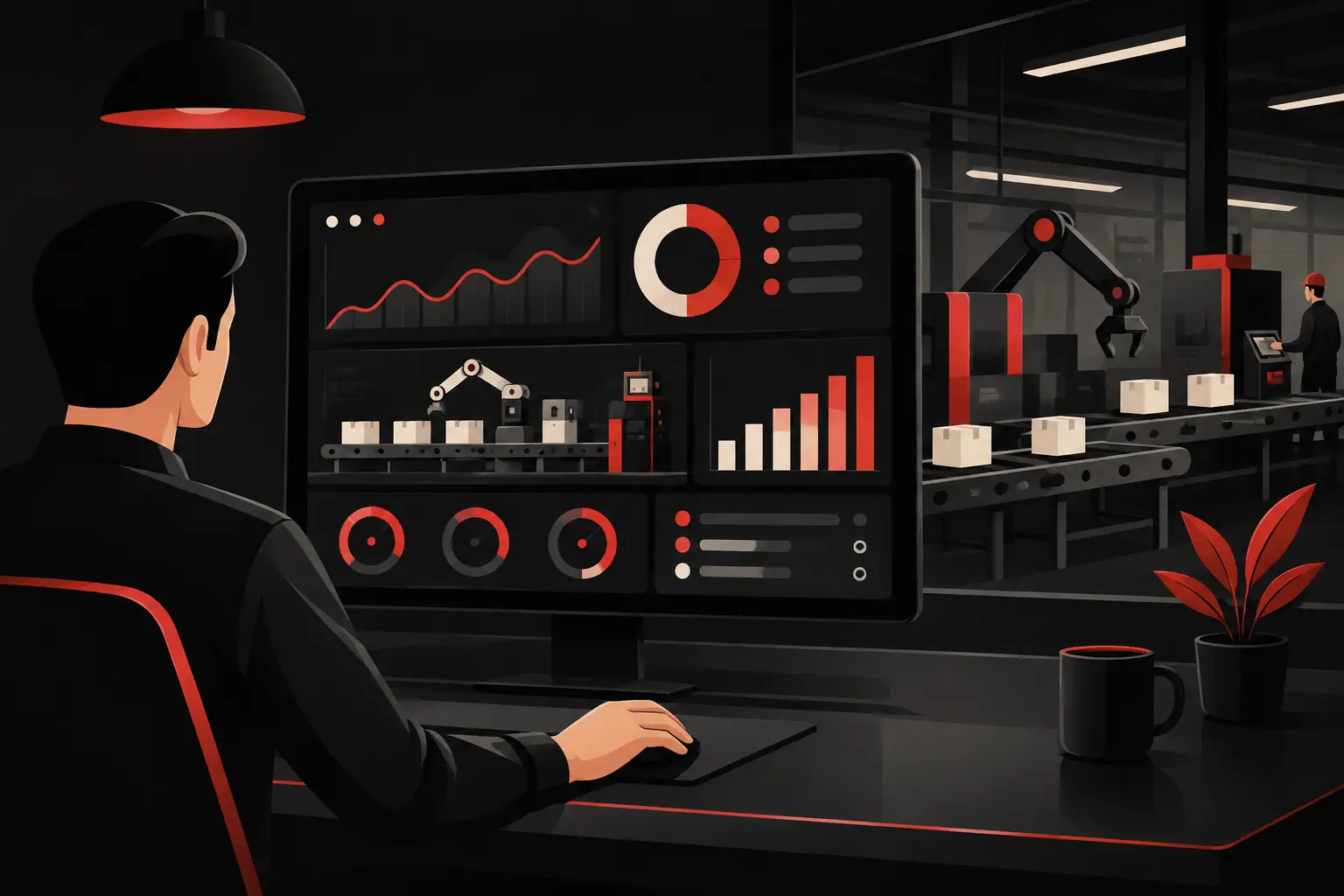
A production manager does not lose control because data is missing. They lose it because data arrives late and is scattered across Excel, management systems, emails and sheets filled in at the end of a shift. The best production control dashboards turn this fragmentation into an operational view: what is happening now, where a delay is developing and which decision will have a tangible impact.
For a manufacturing SME, an effective dashboard is not a wall full of charts. It is a tool that reduces phone calls, manual searches and meetings based on perceptions. It connects planning, order progress, quality, machine downtime and material availability in a single control point, designed around the company’s real priorities.
What sets the best production control dashboards apart
The difference between a useful dashboard and a merely attractive report lies in its ability to guide action. A chart showing monthly revenue may be interesting to management, but it does not help a shop-floor manager understand why job 248 has been stopped for three hours. In production control, value comes from timeliness, context and the ability to intervene.
A good dashboard therefore starts with specific questions: which orders risk being late? Which production stage is limiting capacity? Where are scrap and rework increasing? Which machines or departments are taking longer than expected? If the platform does not answer these questions clearly, it adds visualization but not control.
Data quality matters too. Integrating inconsistent sources without shared rules creates a seemingly sophisticated but unreliable dashboard. Duplicate item codes, outdated processing times and downtime reasons entered in different ways make every KPI debatable. Before design, a data structure is needed that defines sources, responsibilities and update frequency.
Up-to-date data: real time or useful frequency?
Real time is not always necessary. In a plant with continuous processes, even a few minutes’ delay can affect scheduling and quality. In make-to-order production with longer cycles, an update at each stage’s completion or at the end of a shift may be sufficient and easier to maintain.
The choice depends on the cost of information delay. If a decision made four hours later causes a stoppage, a missed shipment or avoidable overtime, the data flow needs to be shortened. If the information is mainly used for the weekly plan, chasing second-by-second data can become a disproportionate investment. The best solutions measure the frequency required, not the frequency technically possible.
The KPIs that deserve space on the dashboard
There is no universal combination of indicators. A company producing repetitive series has different priorities from one handling configured products, contract manufacturing or highly variable jobs. However, certain areas should always be visible, with different levels of detail for management, planning and the shop floor.
- Order and job progress: status, current stage, planned and produced quantities, promised date and days behind schedule. This is the core for catching delays before they reach the customer.
- Adherence to the production plan: comparison of planned and actual quantities, times and workloads. It shows whether the plan is realistic, not merely whether the department is working.
- Times, capacity and utilization: available hours, assigned hours, actual hours and bottlenecks by machine, line or work center. Without this view, planning remains reactive.
- Quality and scrap: quantities scrapped, rework, defects by item, machine, shift or supplier. The data becomes useful when it identifies a recurring cause, not when it merely records a total.
- Downtime and inefficiencies: duration, reason, frequency and impact on the plan. Distinguishing a material wait from a breakdown or a changeover enables very different actions.
- Critical materials: availability, allocations to orders, supplier delays and components that hold up a job. Production and purchasing must see the same risk without having to reconstruct it manually.
OEE can be a useful indicator, especially in departments with monitorable machines and lines. But it should not become a number to display without analysis. If availability, performance and quality are not fed by consistent data, the summary indicator can hide more problems than it reveals. For many SMEs, it is more useful to start with correctly classified downtime and the variance between standard and actual times.
From the management view to decisions on the shop floor
A single dashboard for everyone tends not to serve anyone particularly well. The owner or CEO needs to understand capacity, on-time delivery and margin at an aggregate level. The operations manager must identify issues by department, line and job. The operator, in turn, needs immediate information about the work, priorities and anomalies to report.
The solution is not to duplicate dozens of reports, but to build connected views on the same data model. The management view can highlight the on-time delivery rate, backlog and areas of greatest inefficiency. From there, people with operational responsibilities must be able to drill down to an individual order, check which stage is blocked and see the reason. This continuity avoids the typical leap from a general figure to a manual hunt for information.
Alerts should also be selective. A notification for every minor change will be ignored after a few days. It is better to define thresholds tied to real consequences: a job that exceeds its expected time, a material shortage that makes it impossible to meet a date, or a machine with downtime above the acceptable level. The alert should state the problem, its impact and who can address it.
Choosing standard software, BI or a custom dashboard
The ERP or MES software already in use may offer sufficient reporting features when processes, codes and workflows are straightforward. It is a sensible choice if a basic view is all that is needed and the data is already complete. Its limits become apparent when the company needs to combine different sources, adapt control to specific business logic or provide very different views to different roles.
A business intelligence platform adds analytical and visualization capabilities, but does not solve the problem on its own. If integrations are fragile or data is extracted manually, the dashboard remains dependent on invisible activities that are difficult to scale. Technology must be assessed together with the process that feeds it information.
A custom dashboard becomes the most effective choice when production relies on unintegrated tools, process variations, make-to-order cycles or proprietary calculations. In this case, the advantage is not having a prettier interface. It is modeling rules, automations, permissions and alerts around operational reality, without forcing the organization to work within the limits of a standard report.
Graffico designs these solutions by starting with actual workflows: where the data originates, who updates it, which decision it should speed up and which waste it should eliminate. This is the approach needed to turn a dashboard into a control system that delivers measurable ROI.
Mistakes that reduce the value of a dashboard
The first mistake is trying to show everything. When a screen contains twenty KPIs, complex filters and charts with different scales, users cannot see what matters most. A production dashboard must make exceptions obvious: what needs attention now.
The second is relying only on historical data. Analyzing the closed month helps drive improvement, but it will not prevent a delay that is taking shape today. Retrospective reporting should be complemented by forward-looking indicators: at-risk orders, remaining capacity, insufficient materials, and unusual trends in scrap or downtime.
The third is ignoring adoption. If operators see data collection as punitive monitoring, they enter generic reason codes or update the data late. Fast interfaces, simple rules, and visible benefits for users are essential. When the team sees that a report leads to a problem being resolved, data quality improves.
Finally, many companies treat the dashboard as a project completed at launch. In reality, new products, machinery, shifts, and commercial strategies change what needs to be monitored. Planning for an evolution phase keeps the system aligned with the business and protects the investment over time.
An effective project starts with the process, not the chart
Before choosing layouts and colors, it is worth mapping the journey of an order: order intake, planning, procurement, progress tracking, quality checks, shipping, and final reporting. At each step, identify the available data, the missing data, and how long it takes for the information to reach decision-makers.
From there, define a small number of priority KPIs, the data sources to integrate, and the actions expected when an anomaly occurs. A phased rollout is often more effective than a massive project: first, a view to identify at-risk orders; then integration with materials and quality; and finally, predictive analytics once the data foundation is reliable.
The right dashboard is not there to prove that the company is digitalizing production. It is there to make deliveries, costs, and production capacity more predictable. When every department sees the same data and knows how to act, monitoring stops being a month-end meeting and becomes a daily tool for growing with less waste.
Ready to bring your ideas to life?
Request a free, no-obligation consultation. Let's talk about your project.
Request a consultation