Best tools for centralizing business data
Discover the best tools for centralizing data, reducing duplication, and creating connected processes, reliable dashboards, and faster decisions today.
A salesperson updates the CRM, the administration team works in a management system, marketing consults spreadsheets, and customer support searches through emails. Finding the best tools for centralizing data becomes urgent when every department has a different version of the same reality. The problem is not just slow access to information: it also means inconsistent quotes, orders entered twice, unreliable reports, and decisions made using incomplete figures.
Centralizing does not mean accumulating everything in one undifferentiated repository. It means getting the right information to flow between people, processes, and applications, with clear rules about who updates it, who consults it, and which source is authoritative. For an SME, this step can free up operational time, reduce errors, and make growth more predictable.
Why data fragmentation costs more than expected
The costs of fragmentation rarely appear as a single budget item. They are spread across minutes spent searching for data, manual checks before sending a quote, meetings devoted to reconciling reports, and corrective work after an error. As these incidents multiply, the company increases its headcount to support a process that could be better designed.
There is also a commercial cost. If the person managing a customer cannot see the history of requests, purchases, and ongoing activities, the response is slow or impersonal. If the sales manager receives data updated days late, they cannot act on stalled opportunities or pipeline bottlenecks. Centralizing data is therefore about creating operational continuity, not just producing neater dashboards.
The priority should not be "getting one more piece of software," but defining a system in which data is reliable, available, and usable when needed.
The best tools for centralizing data: which categories to consider
There is no universal platform suited to every company. The choice depends on the processes to connect, the volume of information, the people involved, and the desired level of automation. However, some categories recur in most successful projects.
CRM for sales data and customer relationships
A CRM is the natural central hub for leads, companies, contacts, deals, activities, and communication history. It works well when the sales process follows defined stages and the team adopts shared update rules.
Its limitations become apparent if it is treated as a simple contact list. To generate value, it must automatically receive requests from the website, connect with email, display useful order or support data, and guide the salesperson with relevant fields and automations. A custom CRM is a good fit when the company's sales logic does not match standard models, or when specific roles, approval workflows, and department-specific views are needed.
ERP or management system for administrative operations
The management system holds essential data such as master records, price lists, orders, invoices, inventory, and production. It is often the most authoritative source for operations, but is not always designed to give marketing, sales, or management an immediate overview.
Centralization does not necessarily require replacing it. More often, it is useful to connect it to other systems, extract relevant data, and make that data readable in the appropriate work contexts. A salesperson may need an order's status without logging into the management system; a purchasing manager may need to see forecasts and availability in a single interface.
Data warehouse for unifying different sources
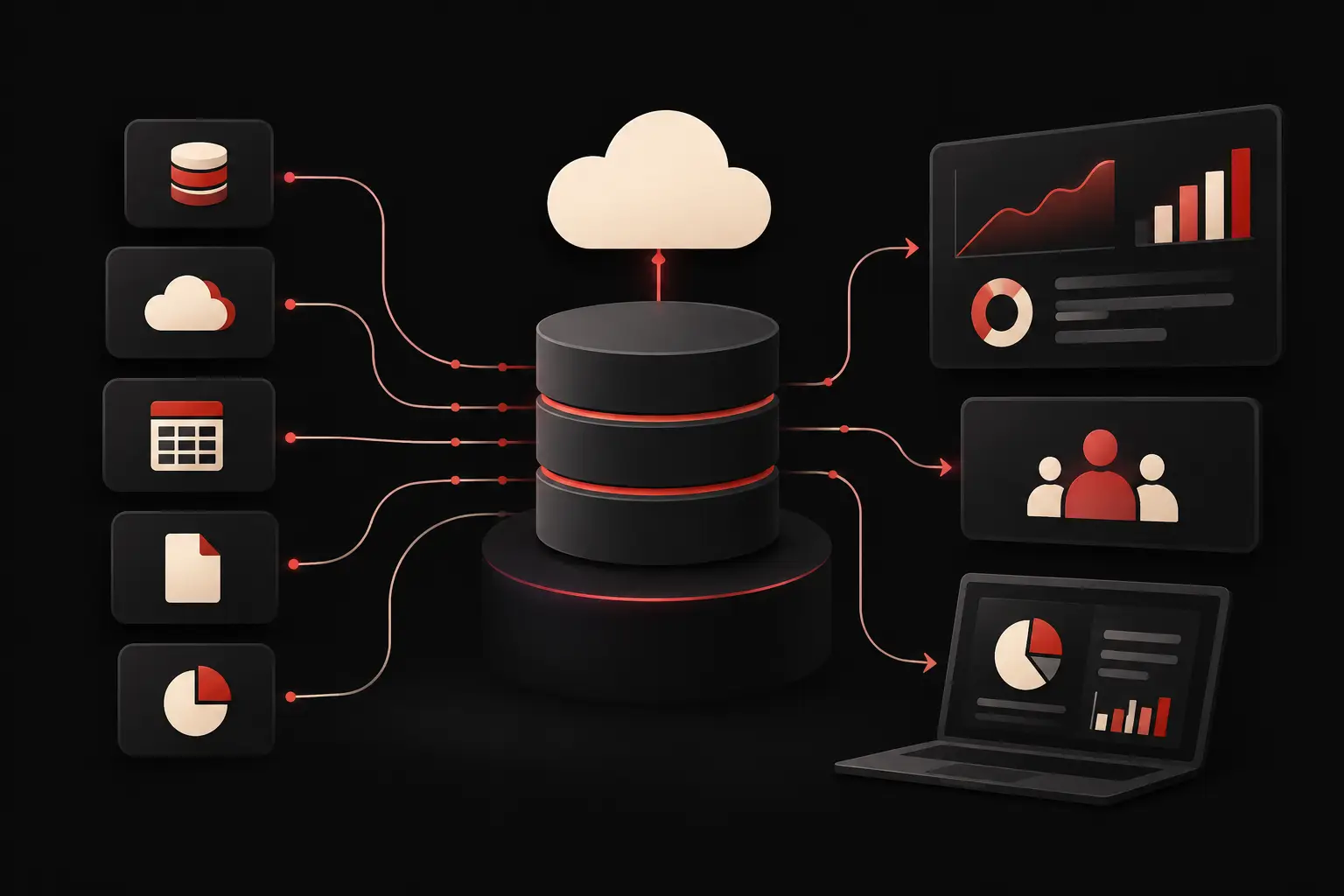
When data comes from many applications, a data warehouse creates a central layer dedicated to collecting, normalizing, and historizing it. It is an effective choice for companies that need to compare sales, margins, campaigns, orders, support performance, or data from multiple locations.
It is not necessarily the first investment for every SME. If processes are still poorly defined, building an advanced analytical repository risks organizing data that no one has yet decided how to use. It becomes strategic when reports and KPIs require frequent cross-referencing, reliable updates, and a data history that individual tools do not retain consistently.
KPI dashboards and business intelligence
Dashboards turn centralized data into faster decisions. A good dashboard does not show every available metric: it highlights the indicators that drive action, such as pipeline value, average fulfillment times, margin by product line, repeat purchase rate, or customer support workload.
Design matters as much as the technical component. If a dashboard requires complex interpretation or presents figures disconnected from the team's responsibilities, it will rarely be consulted. A well-designed interface makes anomalies and priorities visible, with filters and levels of detail suited to the people using it.
Integration and automation platforms
Integrations are the link that keeps centralization from remaining theoretical. They can automatically transfer a request received through the website to the CRM, update an order's status, create tasks for the team, send notifications, or synchronize master records between applications.
Automation platforms can quickly resolve simple workflows. However, critical processes, frequent exceptions, or proprietary logic call for deeper design: error handling, traceability, permissions, processing queues, and data quality checks. The right automation eliminates manual steps without creating an opaque system that nobody knows how to maintain.
How to choose the right tool for your process
Before comparing features and quotes, it is worth mapping the data journey. Where does a request come in? Who completes it? At what point does it become an order, case, ticket, or invoice? Which information is copied over, and where do inconsistencies most often arise?
This analysis helps distinguish between a tool problem and a process problem. If the criteria for qualifying a lead differ for every salesperson, no integration can make the CRM reliable. If the data exists but is scattered across five environments, a well-designed connection can deliver an immediate improvement.
When evaluating options, five aspects deserve attention:
- the availability of reliable APIs or connectors to communicate with the systems already in use;
- the quality of the data model—that is, the fields, relationships, and rules that keep information consistent;
- roles and permissions, which are essential for sharing visibility without exposing sensitive data;
- scalability, so that new departments, locations, or processes do not require starting from scratch;
- user experience, because people will work around a tool that slows them down by using parallel spreadsheets and informal messages.
Migration is another decisive factor. Bringing in historical data without deduplicating or normalizing it transfers the disorder into the new system. It is better to define which information to keep, which to archive, and which fields to make mandatory from the outset.
When a custom solution delivers more value
Standard software is often useful for covering common needs. Its value diminishes when it forces the company to change processes that represent a competitive advantage, or when it requires too many external steps, exports, and manual checks.
In these cases, a custom platform can become the layer that connects existing tools and makes day-to-day work easier. It could be a portal for agents and customers, a CRM built around the actual sales cycle, a management dashboard fed by multiple sources, or a management system focused on a specific process such as quoting, orders, or support.
It doesn’t mean building everything from scratch on principle. It means designing only what’s needed, keeping existing systems where it makes sense and creating reliable integrations around them. Graffico approaches these projects by starting with operational workflows, the people who use them, and the measurable outcomes to achieve: less manual data entry, more up-to-date data, shorter response times, and greater control.
Centralize to make decisions and act faster
The project should start with a high-impact process, not with the abstract desire to reorganize every piece of company data. For example, you might begin by connecting web inquiries, the CRM, and sales activities, or by creating a unified view of orders, progress status, and support. An initial tangible result boosts adoption and provides real criteria for expanding the system.
It’s useful to define a few success indicators from the outset: hours saved on data entry, fewer errors, the time it takes to handle a request, completeness of customer records, or the speed of report generation. Centralization creates value when these figures improve, not when the number of available applications increases.
The best system isn’t the one with the most features, but the one that makes the next step clear to the people who work with it every day. When data, automations, and interfaces are designed around the actual process, complexity stops holding the company back and becomes a solid foundation for growing with greater control.
Ready to bring your ideas to life?
Request a free, no-obligation consultation. Let's talk about your project.
Request a consultation