PWA vs. native app for business growth
PWA vs. native app: practical criteria for choosing a fast, scalable solution aligned with your company’s processes, with real and measurable impact.
A sales representative must be able to check price lists and availability during a visit. A technician must be able to close out a job even without a connection. A customer must be able to book a service without installing an app they will use only once. It is in scenarios like these, not in a theoretical discussion about technologies, that the choice between PWA vs. native app has operational and commercial consequences.
The right question is not which solution is superior in absolute terms. It is which interface removes the most friction from the journey of users, employees and customers, without compromising the features that make the process truly effective. A well-designed choice can accelerate adoption, limit manual work and make data and services more accessible. The wrong choice, on the other hand, risks creating an expensive digital channel that people avoid using.
PWA vs. native app: what really changes
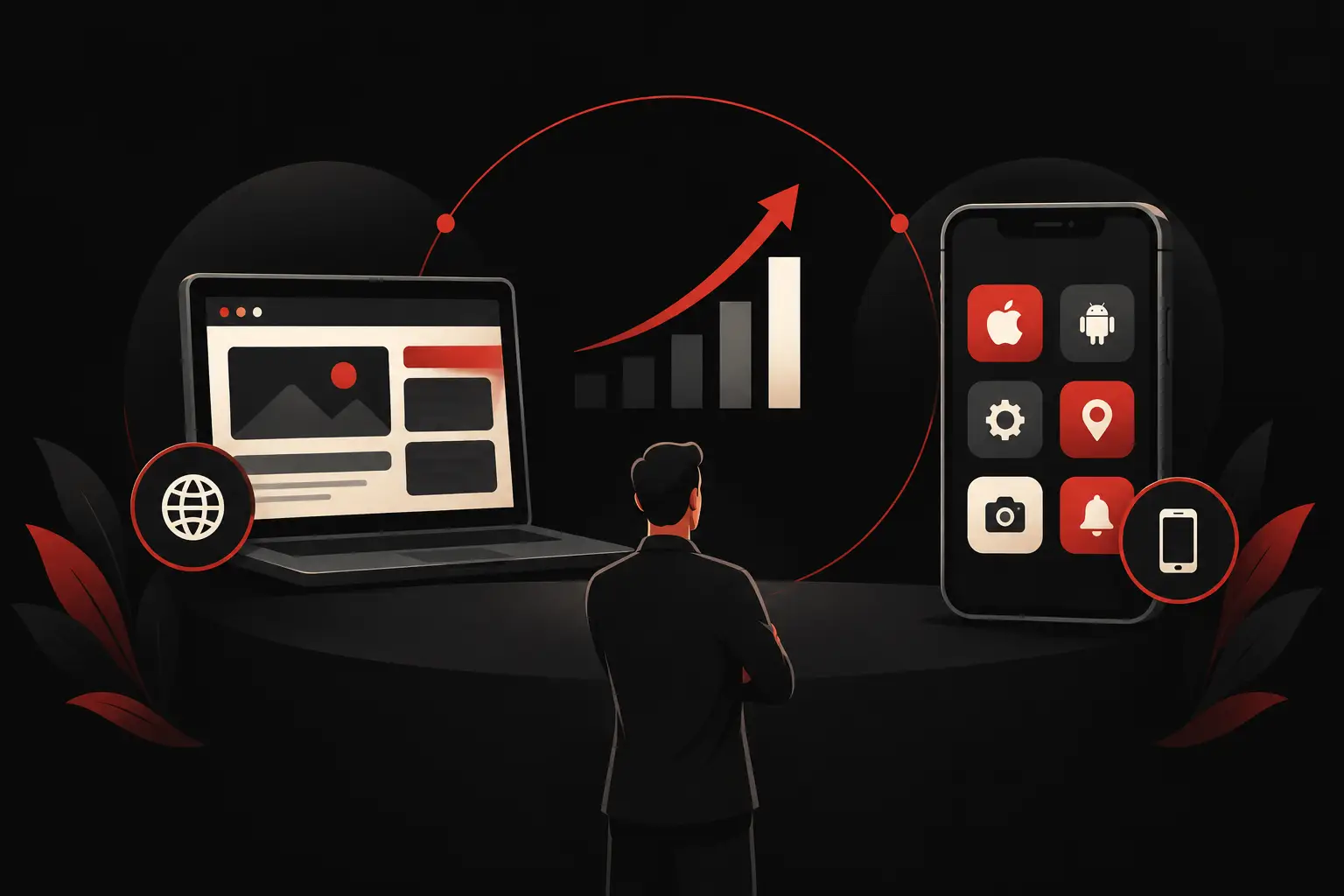
A Progressive Web App is a web application designed to offer an experience similar to that of a mobile app. It opens in a browser, can be added to the device’s home screen and, if built with the right architecture, can handle caching, some offline features and notifications. It does not require users to go through an app store: they can start from a web page, a QR code or a direct communication.
A native app, by contrast, is developed and distributed for mobile ecosystems, typically iOS and Android. It is installed through app stores and interacts more directly with the device’s capabilities. This approach offers maximum control over the experience and access to advanced hardware features, but adds steps for distribution, updates and version management.
The most visible difference is installation, but the most relevant one for a business is adoption. If an order portal is intended for occasional customers, requiring them to download an app can become an unnecessary barrier. If, on the other hand, a tool is used every day by a network of field operators and needs to capture data, photos, signatures and locations in complex settings, a native app can offer greater continuity and control.
When a PWA creates more value
A PWA is particularly effective when speed of access and reach are priorities. For a customer area, a sales configurator, a booking system or a B2B portal, users can get started straight away, without adding an installation step. This reduces initial friction and makes it easier to put the service in front of a broad audience.
It can also be a solid choice for lightweight or moderately complex internal tools: mobile-friendly KPI dashboards, catalogs with up-to-date availability, request collection, approvals, appointment management and assisted sales processes. In these cases, a single application codebase can serve desktops, tablets and smartphones while keeping rules, data and interfaces consistent.
The advantage is not just technical. A well-designed PWA makes it possible to roll out updates without depending on app store approval times and without asking users to update the app manually. For processes that evolve quickly, this speed can translate into fewer support tickets, fewer operational errors and shorter improvement cycles.
However, the quality of the connection required by the actual work must be assessed carefully. Offline functionality in a PWA is not automatic: you need to define which data to make available, how to handle local changes, synchronization conflicts and permissions. When this level of design is overlooked, the experience can become fragile precisely when users need the tool most.
When to choose a native app
A native app is a good fit when the mobile experience is at the heart of the product or operations. Consider a platform for technical teams that makes extensive use of the camera, geolocation, code scanning, critical notifications, digital signatures and extended offline workflows. In these settings, deeper control over the device can reduce uncertainty and improve reliability in the field.
It is often the most suitable choice for consumer products with frequent use, communities, personalized content or features that require an ongoing relationship with users. The icon on the phone, notifications and presence in app stores can reinforce recognition of the service, provided there is a concrete reason for users to return to the app regularly.
This does not mean a native app is automatically more performant or more professional. Performance depends on the quality of the architecture, API design, data management and interface design. However, when the requirement is to make extensive use of device-specific capabilities, the additional investment can be fully justified.
The app’s lifecycle must also be considered. A native app requires a strategy for releases, compatibility with operating system versions, app store publishing and user support. These activities are manageable, but they must be planned from the outset as part of the project, not treated as an after-launch detail.
The deciding factor: frequency and criticality of use
To choose between a PWA and a native app, it is best to examine the process before the technology. How often will users use the service? What happens if they cannot access it within a few seconds? Which device features are truly essential? And which data must remain available offline?
A customer who checks a catalog once a month has very different needs from a warehouse manager who records movements dozens of times a day. In the first case, immediate web access can increase conversions and inquiries. In the second, every interruption, unnecessary click or incomplete synchronization can have a measurable operational cost.
The audience also matters. For external users, especially if they are numerous or occasional, not having to download an app is a tangible advantage. For an internal workforce, installation may matter less, while roles, permissions, traceability, integration with business management systems and workflow quality become central.
Costs: look beyond the initial estimate
Comparing costs only on the basis of initial development often leads to a partial decision. A PWA can reduce distribution time and costs through a single cross-platform experience. A native app may require a larger investment, especially if it involves dedicated development for multiple operating systems, but it can generate greater returns if it eliminates inefficiencies in a critical process.
The useful measure is the total cost of ownership relative to the impact delivered. Include maintenance, functional development, support, publishing, monitoring, training and the time saved by users. If an app saves a few minutes on a task performed hundreds of times a week, the project should be assessed based on the savings it generates, not just the initial cost line items.
Design also has a direct impact on returns. A clear interface prevents data-entry errors, reduces the need for training and makes processes faster. Whether it is a PWA or a native app, perceived quality comes from consistency between workflow, content, interactions and business objectives—not from the technology label.
A common use case: B2B processes and operational teams
Many SMEs do not need to create a new consumer app. They need to speed up a process that is currently scattered across phone calls, shared files, emails and messages. A supplier portal, an order collection system, a support platform or a mobile CRM can start as a PWA when the priority is to make the service accessible to more people, with a simple entry point and rapid updates.
If that system evolves into an indispensable tool for technicians, sales representatives or logistics operators, it may make sense to design an architecture from the outset that can also support a native experience. The choice does not have to be rigid: the value lies in building a data foundation, a permissions model and application workflows that can grow without forcing the company to start from scratch.
This is where custom development makes a difference. Not because every project needs to become complex, but because processes, users and goals have different priorities. An effective digital system does not simply replicate what happens on paper: it eliminates unnecessary steps, centralizes information and makes the right action more immediate.
A design decision, not a technology preference
Before deciding, it is worth mapping the actual user journey: who accesses the system, from which device, how often, under what network conditions and to complete which action. This often brings to light requirements that were not explicit: multi-level permissions, data to consult offline, deadline-related notifications, integrations with the business management system, or the need to measure response times and completion rates.
Graffico approaches this choice by starting with its impact on the business and its processes, not with a one-size-fits-all solution. Technology should make the service easier to use, easier to maintain and more useful for those who work with data, customers and operations every day.
The best choice is the one that removes technology as an effort for the user: fewer waits, fewer steps, fewer errors. When the interface truly supports the work and the customer relationship, a PWA or native app becomes a tangible driver of growth, not another project to add to the list.
Ready to bring your ideas to life?
Request a free, no-obligation consultation. Let's talk about your project.
Request a consultation