Effective Shopify integration with an ERP system
Shopify integration with an ERP connects orders, inventory, and customers: fewer operational errors, reliable data, and processes ready to scale without friction.
An order comes into Shopify, the warehouse sees it hours later, availability is updated manually, and the admin team re-enters the data to issue an invoice. This is not a minor operational detail: it is a process that slows sales, creates room for avoidable errors, and makes it difficult to understand what is really happening in the business.
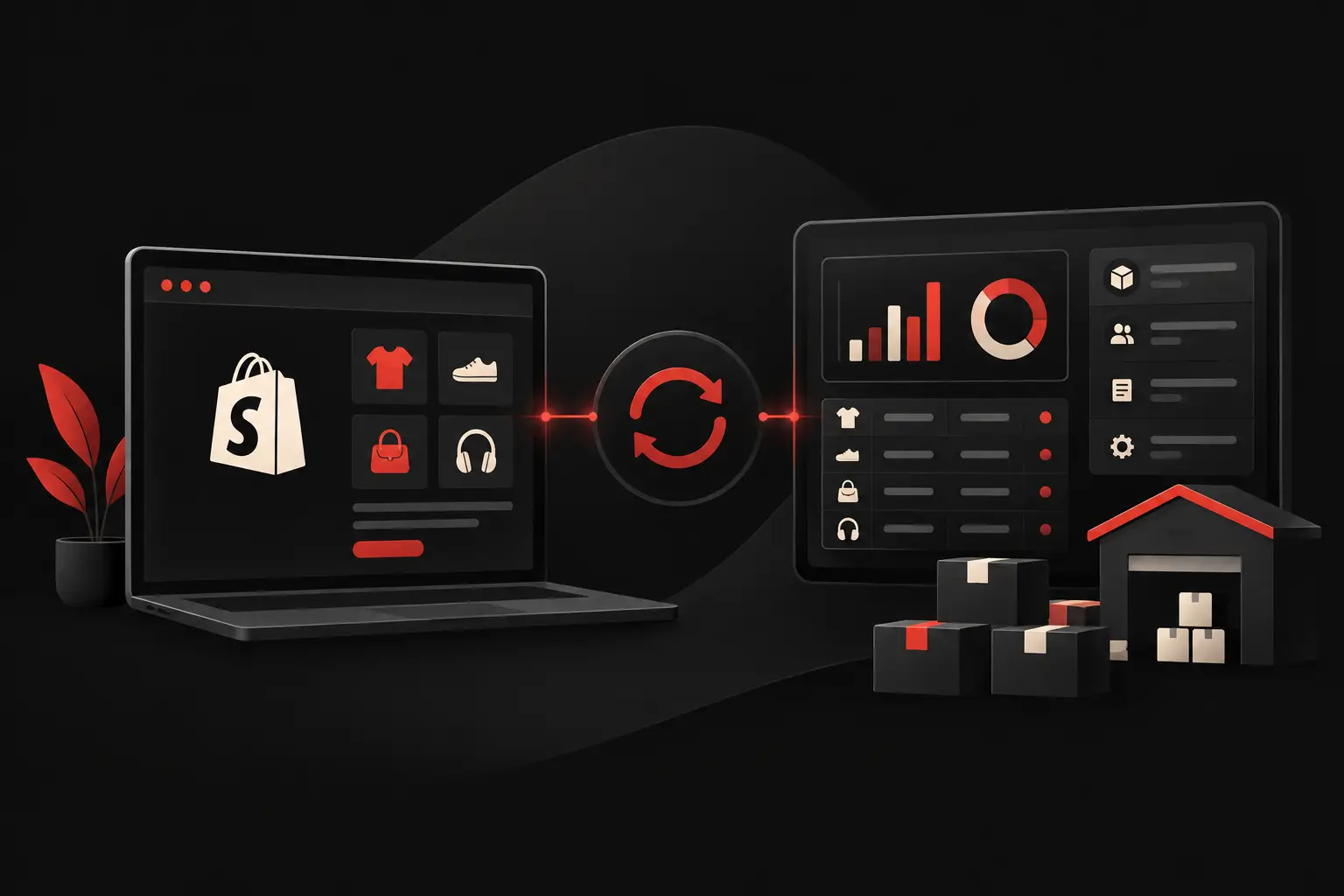
An integration between Shopify and an ERP system turns e-commerce from an isolated channel into an active part of business operations. Orders, inventory levels, customer records, price lists, and documents can flow between systems according to defined rules, reducing repetitive work and improving data reliability. But to create value, simply installing a connector is not enough: the flow must be designed around the company’s real processes.
What does it mean to integrate Shopify with an ERP system?
Integrating Shopify with an ERP system means connecting the e-commerce platform to the system that manages purchasing, warehousing, accounting, production, or logistics. The goal is not simply to transfer information from one piece of software to another, but to ensure that each platform performs its role without creating duplication, delays, or inconsistencies.
Shopify handles the shopping experience, online catalog, promotions, payments, and customer relationships on the store effectively. The ERP system is often where the most critical operational information resides: physical availability, batches, variants, B2B price lists, fulfillment status, invoices, and warehouse movements. Integration creates coordination between these two environments.
The first decision to make concerns the source of the data. If the ERP system is the central system for products and inventory, it should govern that information, and Shopify should receive consistent updates. If, on the other hand, the catalog originates and is maintained in the store, the flow should be designed in the opposite direction. Without this hierarchy, the two systems end up correcting each other, and neither is truly reliable.
The processes that deliver the quickest returns
The most visible benefit is reduced manual data entry. Every step copied by a person increases the cost per order and creates opportunities for errors: incomplete addresses, incorrect quantities, unrecognized SKUs, missing documents, or outdated availability.
A good integration can manage several operational flows:
- synchronizing products, variants, SKUs, prices, and availability;
- automatically importing Shopify orders into the ERP system;
- updating fulfillment statuses and tracking numbers in the store;
- synchronizing customer records and billing details;
- generating commercial and tax documents according to company rules;
- handling returns, cancellations, refunds, and restocking.
Not every company needs the same scope. A D2C brand with a small number of products may focus mainly on orders and inventory. A B2B company with restricted price lists, sales agents, multiple locations, and specific commercial terms requires a more complex model. A business that manufactures to order often needs to integrate component availability, production progress, and reorder lead times as well.
The right approach is not to automate everything immediately. It is to automate first the steps where volume, frequency, and human error have a measurable impact on margins, service, and team capacity.
Before the connector: map rules and exceptions
Many projects fail because they start with the technology instead of the process. A ready-made app may be enough for a straightforward flow, but it does not automatically resolve ambiguities in the operating model.
For example, it is necessary to clarify what happens when a customer buys an item that is available online but already committed to a phone order. Or when Shopify applies a discount to a bundle while the ERP system records the individual components. VAT, payment methods, shipping costs, and promo codes also require precise mapping.
Useful questions are concrete: When should inventory be decremented? Which system creates the customer record? How are partially fulfilled orders handled? What happens if a product does not have a valid SKU? How quickly must stock be updated to prevent overselling? Who receives an alert if a synchronization fails?
These rules are not project bureaucracy. They are the difference between an integration that reduces problems and one that simply transfers the same problems from one system to another more quickly.
Shopify integration with an ERP system: which architecture should you choose?
There are three main approaches. The first is to use existing apps and connectors, which is useful when the ERP system is widely used and the flows are standard. This is the quickest route, often with low initial costs. Its limitations become apparent when custom logic, data transformations, or synchronizations not supported by the product are needed.
The second approach uses a middleware platform, an intermediate layer that connects Shopify, the ERP system, CRM, shipping software, and other tools. This is an effective solution when the digital ecosystem consists of several applications and you want to avoid a web of point-to-point connections that is difficult to maintain.
The third option is to develop a custom integration using APIs, webhooks, and dedicated services. It requires a larger investment, but provides control over rules, synchronization frequency, error handling, and scalability. It is often the most rational choice for companies with specific procedures, a proprietary or legacy ERP system, multiple warehouses, B2B and B2C channels, or volumes where even a small inefficiency creates a significant cost.
There is no universally best choice. A standard connector is appropriate when the process really is standard. A custom solution makes sense when the company risks adapting its procedures to rigid software, or when exceptions have become the norm.
Reliable data: the requirement that protects sales and margins
Inventory synchronization is often the most delicate aspect. If the data is not up to date, the store may sell unavailable products, with immediate consequences for customer service, operating costs, and reputation. Conversely, an overly cautious availability figure can leave stock that is actually on hand unsold.
Data quality depends on seemingly simple elements: unique product codes, consistent variants, aligned units of measure, defined warehouses, and clear rules for stock that is committed, available, or incoming. When these elements are missing, the integration cannot invent the correct data. It can only make it clear where the process needs to be put in order.
Monitoring is also essential. A professional system does more than send data: it logs events, highlights anomalies, prevents duplicate orders, and makes it possible to act quickly. Errors can occur because of a product change, an ERP outage, or invalid data. What matters is catching them before they cause delays for the customer.
How to measure the project’s value
The effectiveness of an integration is not measured by the number of screens connected. It is measured by operational results. Before launch, it is useful to record the average time needed to process an order, data-entry errors, the frequency of stockouts, the hours spent reconciling data, and the time taken to issue documents.
After launch, these metrics make it possible to estimate a tangible ROI. If a team eliminates two hours of manual work per day, reduces blocked orders, and improves fulfillment speed, the integration is not an IT cost: it becomes recovered operational capacity. In addition, aligned data enables faster commercial decisions about replenishment, campaigns, margins, and product performance.
For Graffico, a project of this kind always begins with understanding the flows, not with a hasty choice of plugin. Technology, process design, and business objectives must work together, especially when the e-commerce business is expected to grow.
The right time to integrate is not when the team can no longer manage orders manually. It is just before that: when volume is increasing, exceptions are starting to multiply, and people’s time is already becoming the company’s most expensive bottleneck.
Ready to bring your ideas to life?
Request a free, no-obligation consultation. Let's talk about your project.
Request a consultation